
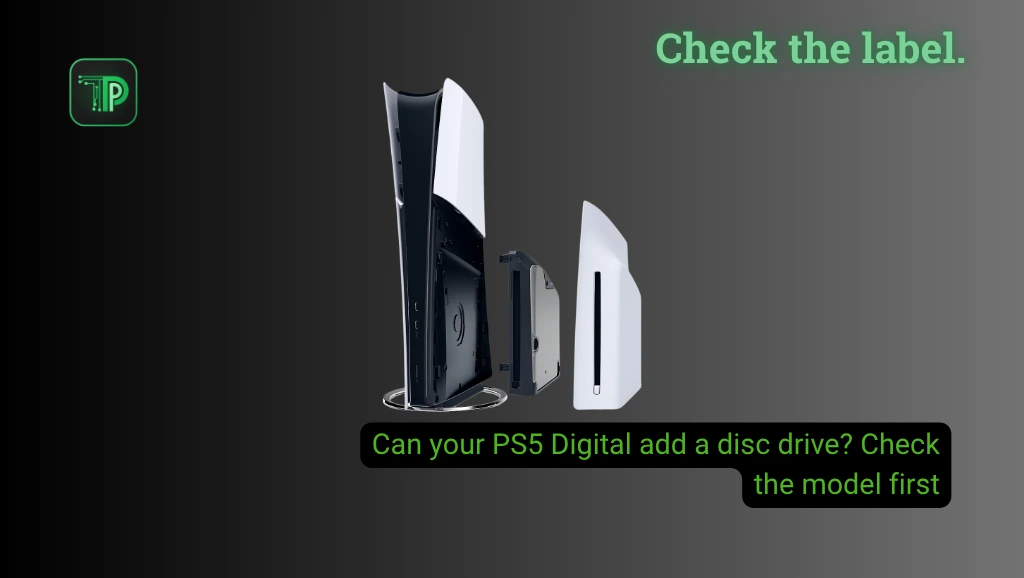
Some PS5 Digital Edition consoles can add Sony’s detachable disc drive, but not all of them. Before you buy a drive, check your console’s CFI model number, because PS5 Digital Edition disc drive compatibility depends on the model group.
Sony’s support page says the drive is compatible only with PS5 consoles in the CFI-2000 and CFI-7000 model groups. The CFI-2000 group includes the slimmer PS5 Digital Edition, and the CFI-7000 group is the PS5 Pro. The original CFI-1000 Digital Edition is not on Sony’s list.
How to find your PS5 model number
Stand the console upright and look at the bottom. Sony says the model number starts with CFI, followed by numbers and a letter. If a base is attached, remove it first to see the label.
Buying a used console? Ask the seller for a clear photo of that label. A listing that only says “PS5 Digital” is not enough, because Digital Edition consoles come in different model groups.
Which PS5 models can use the disc drive?
| Model group | Works with the detachable disc drive? |
|---|---|
| CFI-2000 (slim PS5, including Digital Edition) | Yes, listed by Sony |
| CFI-7000 (PS5 Pro) | Yes, listed by Sony |
| CFI-1000 (original PS5 Digital Edition) | No, not in Sony’s compatibility list |
If you cannot read the full model number, check Sony’s support page or contact PlayStation Support before buying. Do not rely on a seller’s “fits PS5” label alone.
Internet is needed to pair the drive
Sony says an internet connection is required to pair the disc drive with your console during setup. Its instructions do not say you need to stay online every time you play a disc.
How to attach the disc drive
- Place the console on a soft cloth on a flat surface.
- Turn off the PS5 from the control centre (Power > Turn Off PS5), unplug the power cord and cables, and let it cool.
- Lay the console bottom-up with the front facing you, remove the short horizontal feet and lift off the circle cover.
- Line up the drive’s clips with the two holes marked with an upside-down triangle, then push until it clicks.
- Attach the circle cover and the long horizontal feet that come with the drive, then reconnect the cables and turn the console on.
Keep the short feet and the original cover in a safe place. You need them if you remove the drive later. Never force a part that does not line up.
Something to know before you buy
Sony’s disc drive page says that from January 2028, newly released PlayStation games will be sold in digital format only, on PlayStation Store and at retailers. Discs for games released before January 2028 can still be played.
So a drive still makes sense if you already own discs, buy older games second-hand or watch 4K Ultra HD Blu-ray, Blu-ray and DVD movies. It will not help with new game releases from 2028 onward.
Buying a disc drive
Check that the listing is Sony’s official detachable disc drive and includes the cover and feet needed for installation. For a used unit, ask about its condition, return terms and whether all parts are included.
In the Philippines, local pricing and stock have not been confirmed for this guide, so check an authorized retailer’s current listing and warranty terms. Owning a compatible console also does not mean a drive is included in the box.
Takeaway
Check the CFI number before you pay. If it starts with CFI-2000 or CFI-7000, Sony’s detachable drive should work after a one-time online pairing. If it is a CFI-1000 Digital Edition, the official add-on is not an option. Short on space instead? See our PS5 storage guide, and if a system update stalls during setup, our PS5 update fixes can help.
Can every PS5 Digital Edition add a disc drive?
No. Sony lists only the CFI-2000 and CFI-7000 model groups for its detachable disc drive. The original CFI-1000 Digital Edition is not on that list.
Do I need internet to use the PS5 disc drive?
You need an internet connection to pair the drive with the console during setup. Sony’s instructions do not say you must stay online every time you play a disc.
Will adding a disc drive increase PS5 storage?
No. The disc drive reads supported physical media. Storage is separate, and games still install to the console’s SSD or expansion storage.
Sources: PlayStation Support, disc drive setup, PlayStation Support, model numbers, PlayStation, disc drive product page.


