
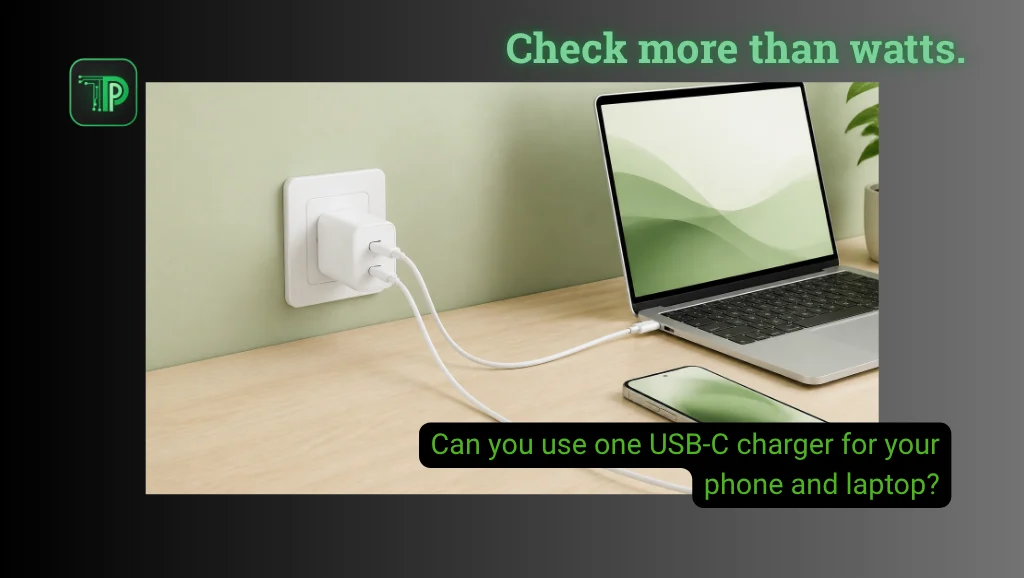
Yes, one compatible USB-C charger can charge your phone and laptop. Your laptop must accept charging through its USB-C port, and the adapter and cable must meet its power requirements. To charge both devices together, you also need enough power from the ports you use.
That last detail matters. Replacing two adapters with one can mean taking turns, or it can mean charging both devices at once. A setup that works for the first job may fall short on the second.
Start with your laptop’s charging requirements
Find your exact laptop model on its manufacturer’s support site. Look for the charging input, recommended adapter and any restrictions on USB-C charging.
Microsoft’s USB-C troubleshooting guidance identifies the wrong port, insufficient charger power and unsuitable cables as possible reasons a PC will not charge. A connector that fits is only the starting point.
Apple similarly says USB-C-charging Macs can use compatible USB Power Delivery adapters. For the best experience, it recommends an adapter that meets at least the wattage recommended for that Mac.
Write down your laptop’s requirements before comparing accessories. This is more useful than assuming that every small laptop needs the same charger.
What a USB-C charger’s wattage tells you
USB-C names the connector. USB Power Delivery, usually shortened to USB PD, handles compatible power delivery between devices.
According to USB-IF, the organization behind the standard, PD lets devices obtain the power they need. A 100W adapter rating does not mean it automatically sends 100W into a connected phone.
The output label also matters. For example, 20V multiplied by 3.25A equals 65W. This is a label-reading example, not a requirement for every laptop.
Compare the supported output profiles as well as the headline wattage. A large number on the box cannot tell you whether the right profile is available for your device.
Can a laptop charger charge your phone?
Often, yes, with a suitable adapter and cable. Apple explicitly allows iPad and Mac notebook power adapters to charge iPhone, alongside compatible third-party adapters that meet applicable safety standards.
However, charging successfully and reaching the phone’s fastest charging mode are separate outcomes.
Samsung’s support guidance says Super fast charging depends on USB PD PPS support, suitable output and the correct cable specifications. PPS stands for Programmable Power Supply. Higher maximum wattage alone does not guarantee that mode.
Check your phone manufacturer’s requirements if charging speed matters. Do not assume a laptop adapter replaces every phone’s original fast charger at full speed.
Can a phone charger charge your laptop?
It depends on what that adapter can deliver and what the laptop accepts. The fact that you bought it for a phone does not settle compatibility.
An underpowered setup can charge slowly, fail to charge or leave the battery draining while the computer runs. Check the laptop’s requirements rather than treating a charging icon as proof that the adapter suits your workload.
Think about when you need the charger. Topping up between meetings and powering a demanding work session are different jobs. The replacement needs to support the job you actually expect it to do.
Charging both devices changes the available power
Multiport chargers share their available output. Check the manufacturer’s allocation for the exact combination of ports you intend to use.
Anker’s published specifications for the 735 Charger, Nano II 65W, model A2667, provide a concrete example:
| Ports in use | Maximum listed output |
|---|---|
| One USB-C port | 65W |
| Both USB-C ports | 45W + 20W |
| Both USB-C ports and USB-A | 40W + 12W + 12W |
These are manufacturer ratings for that model, not TechPipino test results. The example explains power sharing; it does not establish Philippine availability or recommend a purchase.
If your laptop needs more than the 45W allocated in the two-USB-C arrangement, a 65W headline alone does not solve the problem. You would need a different supported allocation or charge the devices separately.
The cable needs to match, too
Check the cable’s power rating separately from its data-transfer speed. USB-IF documents distinct cable power markings, including 60W and 240W ratings, as well as combined power-and-data logos.
A cable that handles your phone is not automatically suitable for every laptop requirement. Conversely, a higher-rated cable cannot add an output profile that the charger lacks.
Match all three pieces: device, charger and cable. For model-specific fast charging, follow the manufacturer’s cable requirements rather than applying one rule to every brand.
What to check before buying another charger
Use this checklist with the equipment you already own:
- Identify the exact phone and laptop models, and the laptop port that accepts charging.
- Find the supported charging standards and the laptop’s recommended power input.
- Read the adapter’s output specifications, including the allocation when several ports are connected.
- Check each cable’s documented charging capability. Charging both devices through a multiport adapter needs a suitable cable for each.
- Decide whether you need full-speed charging, a slower top-up or simultaneous use. Compare the setup against that goal.
If you shop through a Philippine marketplace, look for the exact model code and output chart. A listing that only says “fast charging” does not answer those questions.
Also separate a charger complaint from a reason to replace the phone. Our guide to when you should buy a new phone explains how to weigh the device’s condition and remaining usefulness.
Finally, charging speed is not constant. Apple notes that temperature and intensive app use can slow iPhone charging, so a slower session does not by itself prove the adapter is incompatible.
Takeaway
One charger can simplify your bag when its ports, power profiles and cables match both devices. Start with what your laptop accepts, then check the phone’s charging requirements and the output available when both are connected.
If your current adapter already meets those needs, there may be no reason to replace it. Shopping for new hardware instead? Compare charging specs on our phone and laptop device pages, or browse TechPipino’s Guides & Tips.
Frequently asked questions
Can I use a 100W USB-C charger with my phone?
A compatible USB PD setup negotiates power, so 100W is the adapter’s capacity rather than a fixed amount forced into the phone. Use a suitable cable and an adapter that meets the manufacturer’s compatibility and safety requirements.
Why does my laptop say it is charging slowly?
The adapter, cable, port or shared output may not meet its requirements. Check those against the laptop’s manual before concluding that the battery needs replacement.
Do I need two cables to charge a phone and laptop together?
Yes, when using separate ports on a multiport wall charger. Use one suitable cable for each device and check the charger’s power allocation with both ports occupied.


