
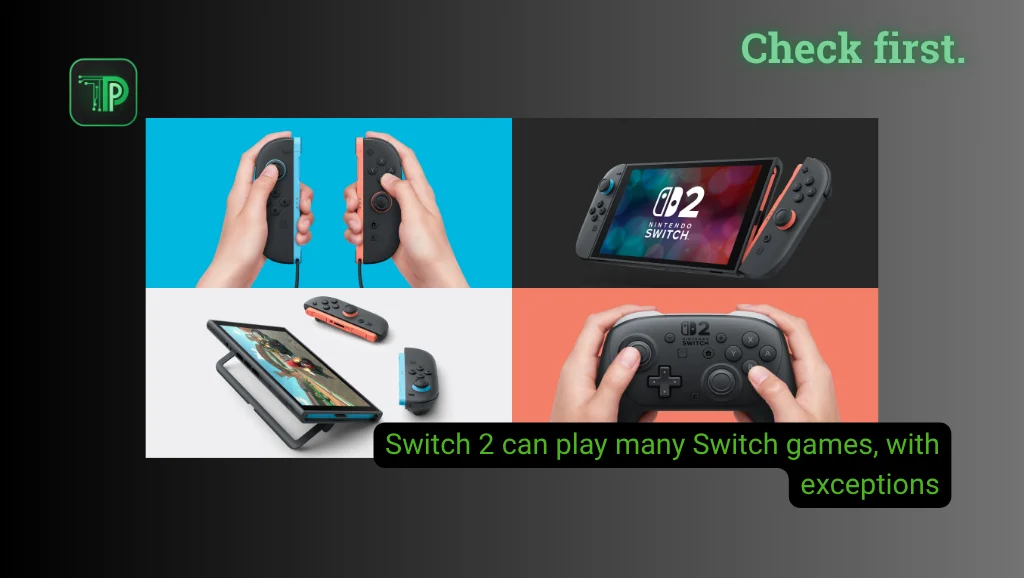
Switch 2 backwards compatibility is broad but not universal. Many Nintendo Switch games and several original accessories work, but titles that depend on the original Joy-Con need extra checks.
Nintendo says Switch 2 can play compatible physical and digital Switch games. Some titles are unsupported or only partly supported, so use the Nintendo game-by-game compatibility page before buying a console for a particular game.
Can you play physical and digital Switch games?
Compatible original Switch game cards play on Switch 2. Digital games are tied to your Nintendo Account and load through virtual game cards. Both consoles must use the same account, with a maximum of two consoles per account.
Some games receive free or paid updates that add content or improve performance on Switch 2. Do not assume an upgrade is included with the original purchase. If you also plan to change your account region, read our guide on switching your Nintendo Account to the Philippine eShop and our report on the eShop launch in the Philippines.
Do original Joy-Con and the Pro Controller work?
Original Joy-Con pair wirelessly with Switch 2 but cannot attach to the console. That means they cannot charge on it. Nintendo says you need a Switch console, a Joy-Con charging grip or a two-way charging stand.
The Pro Controller pairs wirelessly and charges over USB through the Switch 2 dock. Some games still need original Joy-Con for specific features.
Ring Fit Adventure works with original Joy-Con attached to the Ring-Con. In Nintendo Switch Sports, only Football Shoot-Out works, and only with original Joy-Con, because Joy-Con 2 do not fit the Leg Strap. Joy-Con 2 also lack the IR Motion Camera, which affects games such as 1-2-Switch and Game Builder Garage.
What about docks, chargers and storage?
The original Switch dock is not compatible with Switch 2. The original AC adapter can charge Switch 2 when plugged in directly, but its power output is too low for TV mode.
Switch 2 uses microSD Express cards for expandable game storage. A standard microSD card cannot store games, but it can be used to view or import screenshots and videos captured on a Switch. Nintendo lists the GameCube Controller Adapter as compatible in TV mode through a USB port on the Switch 2 dock.
What happens to save data?
System transfer moves users, purchased digital games, save data, screenshots and videos, and system settings to Switch 2. It requires a user linked to a Nintendo Account that was used on a Switch, plus an internet connection.
The Nintendo transfer page does not say where save data for physical game cards is stored. Keep your original console until you have confirmed the saves you need on Switch 2.
Frequently asked questions
Do all Switch games work on Switch 2?
No. Nintendo says some games are unsupported or only partly supported. Check its current list for each title.
Can I use my old Joy-Con in handheld mode?
They connect wirelessly, but they cannot attach to the Switch 2 console. You need a separate way to charge them.
Can I reuse my old microSD card for Switch 2 games?
No. Switch 2 uses microSD Express for expandable game storage. A standard microSD card can only be used to import or view original Switch screenshots and videos.
Takeaway
Your existing library can make the move to Switch 2 easier, but the safe checklist is title-specific. Confirm each game, its required controller and your save-transfer options before letting go of the original console.
Sources: Nintendo compatibility overview | Nintendo game compatibility | Virtual game cards | System transfer


